
Last Updated on March 26, 2026 by Justin Bryant
Electricity is projected to become more expensive over time.
With the rise of electric vehicles, surging demand from AI data centers, manufacturing electrification, and an aging power grid that needs costly upgrades, it's safe to say electricity won't be getting cheaper anytime soon.
That's why it is becoming more attractive to harness solar power from the sun to naturally reduce reliance on the grid.
This guide will show you how to start small and test out your own solar power system without breaking the bank.
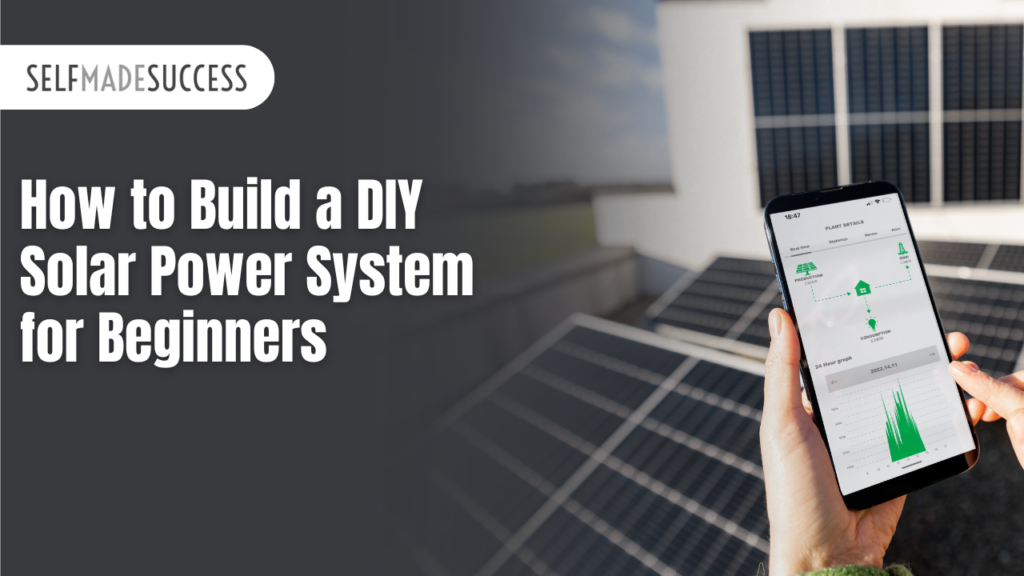
Building your own solar power system is simpler than it looks. Whether you're setting up power for an RV, an overland rig, a small cabin, or a boat, the fundamentals are the same: just three core components wired together. Once you understand a small system, scaling up is straightforward: you simply add more components.
This guide walks you through every step of setting up a basic solar system from start to finish, along with safety tips, component explanations, and advice for expanding your setup later.
The Three Core Components
Every solar power system, no matter the size, is generally built around these three components:
| Component | Purpose | Notes |
| Solar Panel(s) | Generate electricity from sunlight | Size determines power output; panels can be added to scale up |
| Battery / Battery Bank | Match the voltage/amperage ratings to your panels and battery | LiFePO4 (lithium) batteries recommended; higher capacity, lighter weight |
| Charge Controller | Regulate panel output for safe battery charging | Match voltage/amperage ratings to your panels and battery |
1. Solar Panels
Solar panels convert sunlight into electricity. The amount of power generated varies throughout the day depending on sun angle, cloud cover, and panel orientation. Their job is not to directly power your devices; it's to keep your batteries charged.
| 💡 Choosing a Panel For portable or small systems, a foldable panel (e.g., 400W) offers flexibility and easy transport. For permanent installs, rigid panels mounted on a roof are more efficient long-term. Always check the panel's spec plate on the back for its maximum voltage and amperage output before purchasing a charge controller. |
2. Battery (or Battery Bank)
The battery is the heart of the system. When you run devices off solar, you're actually drawing from the battery. The panels simply replenish what you use. Battery capacity is measured in amp hours (Ah): a 280Ah battery stores nearly three times the energy of a 100Ah battery.
Modern systems commonly use LiFePO4 (lithium iron phosphate) batteries, which offer several advantages over older lead-acid batteries:
- Significantly higher usable capacity
- Lighter weight for equivalent storage
- Longer lifespan (cycle life)
- Some models include Bluetooth for monitoring charge status via a smartphone app
3. Charge Controller
Solar panels produce a variable amount of electricity; more on bright sunny days, less on cloudy ones, and nothing at night. This variable output would damage a battery if connected directly. The charge controller solves this by:
- Converting the panel's variable voltage into a stable, consistent voltage
- Allowing amperage (current flow) to vary naturally
- Protecting the battery from overcharging or undercharging
In short, the charge controller takes whatever the panels produce and makes it safe and appropriate for charging your battery.
What You'll Need
Components
- Solar panel(s)
- LiFePO4 or deep-cycle battery
- Charge controller (rated for your panel's voltage/amperage)
- Inline fuse terminal (attaches to battery terminal)
- MC4 extension cables (with bare wire on one end for charge controller connections)
- Short lengths of wire with ring terminals for battery connections
Tools
- Wire strippers
- Crimping tool (for ring terminals)
- Ring terminals (for battery cable ends)
- Screwdriver or nut driver (for charge controller terminals)
- Wrench (for battery bolt terminals)
- Wire cutters (as an emergency disconnect option)
| ⚠️ Before You Start — Battery Safety Batteries store significant electrical energy. Never allow a metal object or wire to bridge the positive and negative terminals simultaneously. This will cause sparking, heat, and potentially a dangerous short circuit. Always be aware of where the free end of any wire is before connecting the other end. When tightening battery terminals with a wrench, keep the wrench away from the opposite terminal. |
Step-by-Step Wiring Instructions
Follow these steps in order. The sequence matters. Always connect the battery to the charge controller first, before introducing the solar panel.
Step 1 — Prepare Your Battery Cables
- Cut two short lengths of wire: one for positive (+), one for negative (−).
- Strip one end of each wire and crimp a ring terminal onto it. This end will connect to the battery's bolt terminals.
- Strip the other end of each wire so bare wire is exposed. This end goes into the charge controller's screw terminals.
| 💡 Ring Terminal Tip Use a proper crimping tool for a solid, secure connection. A poorly crimped terminal can loosen over time and cause resistance or arcing. |
Step 2 — Install the Inline Fuse on the Battery
- Attach an inline fuse terminal to the positive (+) battery terminal. This fuse terminal clamps onto the battery terminal and creates a new connection point on top of it.
- From this point forward, your positive wire will connect to the fuse terminal rather than directly to the battery post.
| 💡 Why a Fuse? A fuse between the battery and everything else protects all your wiring and components from a short circuit. If something goes wrong, the fuse blows instead of your wiring catching fire. This is strongly recommended. Treat it as a required component, not optional. |
Step 3 — Connect the Battery to the Charge Controller
Look at your charge controller. It will have a small icon of a battery indicating which terminals are for the battery connection. There will be a positive and a negative terminal.
- Connect the negative (−) battery wire first: ring terminal to the battery's negative post, bare end into the charge controller's negative battery terminal. Tighten the screw.
- Connect the positive (+) wire: ring terminal to the fuse terminal on the battery, bare end into the charge controller's positive battery terminal. Tighten the screw.
- The charge controller display should illuminate and show the battery's current voltage. A 12V battery will typically read around 13–13.5V. This is normal, as batteries run slightly above their nominal voltage.
| ⚠️ Wrench Safety When tightening battery terminal bolts, keep the wrench away from the opposite terminal at all times. Accidentally bridging both terminals with the wrench creates an immediate short circuit. |
Step 4 — Connect the Solar Panel to the Charge Controller
Solar panels use MC4 connectors, a weatherproof male/female connector system. The charge controller does not have MC4 ports; it uses screw terminals. You will need a short adapter wire with an MC4 connector on one end and bare wire on the other (these are available pre-made or can be cut from an MC4 extension cable).
- Locate the solar panel input terminals on the charge controller, marked with a solar panel icon.
- Insert the bare positive wire into the positive solar terminal on the charge controller and tighten.
- Insert the bare negative wire into the negative solar terminal and tighten.
- Connect the MC4 end of the adapter cable to the MC4 connector on the solar panel's positive lead. Repeat for the negative lead.
- The charge controller should now show that the solar panel input is active. A solar panel indicator light on the controller will confirm that the panel is charging the battery.
| 💡 MC4 Connectors Are Foolproof MC4 connectors are keyed. The positive and negative plugs will not fit into the wrong socket. You cannot accidentally reverse polarity when using them, which makes them very beginner-friendly. |
Step 5 — Connect a Load (Powering Devices)
Your charge controller will have a third set of terminals, marked with a light bulb icon. This is the load output. Use it to power devices directly, or run wiring from here into your RV or cabin's electrical system.
Alternatively, you can connect devices directly to the battery (positive and negative terminals), ideally through a fuse and a switch on the positive wire. Both approaches draw from the same battery; the charge controller's load terminal is simply a convenient built-in connection point.
Important Compatibility Checks
Before finalizing your component purchases, verify these numbers to ensure everything works together safely:
- Panel max voltage and amperage (on the spec plate on the back of the panel) must not exceed the charge controller's maximum input ratings.
- The charge controller's output amperage must not exceed the maximum charge rate your battery can accept. (For most small systems with a single panel and a single battery, this is rarely an issue.)
- Wire gauge (thickness) should be appropriate for the amperage being carried. Undersized wire generates heat and is a fire hazard. Larger systems require heavier wire.
| 💡 Where to Find the Numbers Every solar panel has a sticker on its back with its electrical specifications. Every charge controller and battery lists its ratings in the product documentation and on the unit itself. When in doubt, go bigger on the charge controller. |
Recommended Additions
On/Off Switches
Adding a switch between the battery and the charge controller (on the positive wire) allows you to safely disconnect the system without unplugging anything. It is also a good idea to add a switch on the positive wire going out to the solar panels. These make maintenance and troubleshooting much safer and easier.
Inverter (AC Power)
A battery stores and delivers DC (direct current) power. This is the same type used by your RV, phone charger, and most 12V accessories. If you want to run standard household AC appliances (like a laptop, microwave, or power tools), you will need an inverter. An inverter converts 12V DC battery power into 120V AC household current. This is an optional add-on for more advanced systems.
Monitoring
Some LiFePO4 batteries come with a built-in Bluetooth module that lets you monitor charge percentage, current wattage input, and estimated time to full charge via a smartphone app. This is a very useful feature, especially for remote setups where you want to track power usage without being physically present at the battery.
Scaling Up Your System
The beauty of this setup is its modularity. Once you understand the basic three-component system, adding capacity is just a matter of adding more of the same components:
- Add more solar panels to increase the rate of charging.
- Add more batteries (wired in parallel) to increase total energy storage.
- Upgrade to a larger charge controller to handle higher combined panel wattage.
All the same wiring principles apply. The only new consideration is ensuring your charge controller, wiring, and fuses are rated for the higher combined amperage of a larger system.
Safety Quick Reference
| Rule | Why It Matters |
| Always install a fuse on the positive battery wire | A wrench touching both terminals = short circuit |
| Never bridge positive and negative terminals with a conductor | Causes immediate short circuit, sparks, and heat |
| Always know where the free wire end is before connecting the other | Prevents accidental contact with the opposite terminal |
| Keep wrenches away from the opposite terminal while tightening | Connect the battery to charge controller before connecting the panel |
| Connect the battery to the charge controller before connecting the panel | Prevents voltage spike damage to the charge controller |
| Verify panel/controller/battery compatibility before wiring | Mismatched specs can damage components or cause failure |
Once you've built your first small system, you'll find that scaling up is just more of the same.
Parts List
Here's your Amazon shopping list for a complete DIY solar system setup, organized by category. All products are from well-reviewed brands (4+ stars).
Note: I may receive a small affiliate commission from some of these links, but I made sure these are some of the top-rated, easiest-to-order components for this setup.
🛒 DIY Solar System — Amazon Shopping List
⚡ The Three Core Components
1. Solar Panel BougeRV 200W 9BB Monocrystalline Solar Panel — 23% efficiency, IP68 waterproof junction box, pre-attached cables, works for RV/boat/off-grid 🔗 https://www.amazon.com/dp/B09BQZF2D7 ⭐ 4.5+ stars | ~$90–$120
2. Battery Dakota Lithium 12V 100Ah LiFePO4 Battery — 11-year USA warranty, 2,000+ cycles, built-in BMS, ~half the weight of lead-acid 🔗 https://www.amazon.com/dp/B08N57HR2K ⭐ 4.5+ stars | ~$350–$420
Want Bluetooth monitoring? Go for the LiTime 12V 100Ah Bluetooth LiFePO4 instead — connects to a smartphone app to show charge %, wattage, and estimated time to full: 🔗 https://www.amazon.com/s?k=litime+12v+100ah+bluetooth+lifepo4
3. Charge Controller Renogy Rover 40A MPPT Charge Controller — industry-standard pick, 99% tracking efficiency, auto-detects 12V/24V, LCD display, LiFePO4 compatible 🔗 https://www.amazon.com/dp/B01MSYGZGI ⭐ 4.5+ stars | ~$80–$110
Want built-in Bluetooth? Add the Renogy BT-2 Bluetooth Module (sold separately, plugs into the Rover's RJ45 port): 🔗 https://www.amazon.com/s?k=renogy+bt-2+bluetooth+module
🔌 Wiring & Connectors
4. MC4 Solar Extension Cable (Panel → Charge Controller adapter)
BeideLt 10AWG MC4 Solar Extension Cable — 20FT black + 20FT red pair, pure tinned copper wire with MC4 connectors on one end (for the solar panel) and bare wire on the other end (for the charge controller terminals), UV-resistant and IP67 waterproof with a 25+ year lifespan. CLEAN ENERGY REVIEWS There is no cutting needed, since it already comes with bare ends on the charge controller side.
🔗 https://www.amazon.com/dp/B0BTYJNKGJ ⭐ 4.5+ stars | ~$18–$22
5. Battery-to-Controller Wire w/ Ring Terminals TKDMR 160Pcs Copper Wire Lugs w/ Heat Shrink Kit (8–2 AWG) — ring terminals in multiple sizes for battery bolt connections 🔗 https://www.amazon.com/s?k=TKDMR+copper+wire+lugs+ring+terminals+heat+shrink ⭐ 4.4+ stars | ~$15–$22
🔒 Safety Hardware
6. Inline ANL Fuse + Holder Renogy 40A ANL Fuse Set with Holder — brass/alloy construction, clear protective cover, fits Renogy's ANL fuse block, ignition-protected (matches the 40A charge controller above) 🔗 https://www.amazon.com/dp/B01LYQVTY3 ⭐ 4.4+ stars | ~$12–$18
🔧 Tools
7. Ratcheting Crimping Tool + Terminal Kit DxCRIMP Wire Terminals Crimping Tool Kit (45 types, AWG 22–10) — ratcheting crimper + wire stripper + 309-piece assortment of ring, spade, fork, and butt terminals; quick-release mechanism 🔗 https://www.amazon.com/dp/B0GJHXDM5V ⭐ 4.5+ stars | ~$22–$30
📋 Quick Summary Table
| # | Item | Approx. Price |
|---|---|---|
| 1 | BougeRV 200W Solar Panel | ~$100 |
| 2 | Dakota Lithium 12V 100Ah LiFePO4 | ~$385 |
| 3 | Renogy Rover 40A MPPT Charge Controller | ~$95 |
| 4 | BougeRV 20FT MC4 Extension Cable (10AWG) | ~$20 |
| 5 | Ring Terminal / Lug Kit | ~$18 |
| 6 | Renogy 40A ANL Fuse + Holder | ~$15 |
| 7 | Ratcheting Crimping Tool Kit | ~$25 |
| Estimated Total | ~$658 |
💡 Tip: Prices fluctuate on Amazon. Check each listing for the current price. If you want to scale up later, just add a second BougeRV panel (same model) and wire it in parallel. The Renogy 40A controller can handle up to 520W at 12V, so you have room to grow before needing a bigger controller.
Recommended Videos:
As someone who has always been interested in solar power, in my opinion (many other commenters agree), these are some of the best-explained solar setup videos that I've seen:
Conclusion
Going solar has been getting more efficient and cheaper over time.
Electricity from the grid has proven to get more expensive over time, and will continue to do so.
This setup will not power a house, but it can help you get experience, start small, and scale up your solar power generation over time.